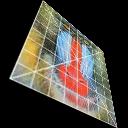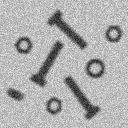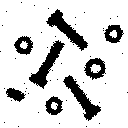
Links index

FAST LINKS
http://bemyguest3.blogspot.com/2016/04/beautiful-dj-oxy-cu-thi-ngoc-24.html     http://bemyguest3.blogspot.com/2016/04/crazy-viet-girls-collection-92.html       http://bemyguest3.blogspot.com/2016/04/kha-ngan-actress-boxing-viet-girl-55.html         http://bemyguest3.blogspot.com/2016/04/top-funny-pics-links-1-100-100.html     http://bemyguest3.blogspot.com/2016/04/top-funny-pics-links-101-200.html     http://bemyguest3.blogspot.com/2016/04/top-funny-pics-links-201-300.html     http://bemyguest3.blogspot.com/2016/05/top-funny-pics-links-302-400.html     http://bemyguest3.blogspot.com/2016/05/top-funny-pics-links-401-500.html       http://bemyguest3.blogspot.com/2016/05/top-funny-pics-links-502-600.html      http://bemyguest3.blogspot.com/2016/05/top-funny-pics-links-601-700.html      http://bemyguest3.blogspot.com/2016/05/top-funny-pics-links-701-800.html     http://bemyguest3.blogspot.com/2016/05/top-funny-pics-links-802-900.html      http://bemyguest3.blogspot.com/2016/05/top-funny-pics-links-901-1000.html      http://bemyguest3.blogspot.com/2016/05/top-funny-pics-links-1001-1100.html     http://bemyguest3.blogspot.com/2016/05/top-funny-pics-links-1101-1200.html     http://bemyguest3.blogspot.com/2016/05/top-funny-pics-links-1201-1300.html     http://bemyguest3.blogspot.com/2016/05/top-funny-pics-link-1301-1400.html    http://bemyguest3.blogspot.com/2016/06/top-funny-pics-link-1401-1500.html    http://bemyguest3.blogspot.com/2016/06/top-funny-pics-link-1501-1600.html                                                     

Thứ Tư, 27 tháng 4, 2016

ImageMagick Scripts


Fred's ImageMagick Scripts


    Licensing:
    Copyright © Fred Weinhaus
    My scripts are available free of charge for non-commercial use, ONLY.
    For use of my scripts in commercial (for-profit) environments or non-free applications, please contact me (Fred Weinhaus) for licensing arrangements. My email address is fmw at alink dot net.
    If you: 1) redistribute, 2) incorporate any of these scripts into other free applications or 3) reprogram them in another scripting language, then you must contact me for permission, especially if the result might be used in a commercial or for-profit environment.
    Usage, whether stated or not in the script, is restricted to the above licensing arrangements. It is also subject, in a subordinate manner, to the ImageMagick license, which can be found at: http://www.imagemagick.org/script/license.php
  • Detailed information and examples are available for each script on separate pages linked above and below as well as a summary list of them all.

  • You can also try many of them in an interactive environment at JqMagic. This is a collaborative effort with Jd Audibert.

  • To download a script, go the examples page for that script and simply click on the link. The links are controlled by a counter script and are set to download automatically upon a single left button click.

  • These scripts are bash unix shell scripts and should work on Linux and Mac OSX with IM 6.3.5.0 or higher.

    Pointers for use:
    1. Be sure you have installed the unix calculator, bc. It is an option that you may have to select when installing unix.
    2. Download the script
    3. Change the name to add or remove the .sh as desired when running
    4. Set the script to executable (chmod u+x)
    5. Find the full path to where IM (convert) resides by typing in a shell terminal window: type -a convert
    6. If type -a convert returns more than one path, type in a shell terminal window: path2/convert -version, where path2 is each of the paths found. Decide which version of IM you want to use.
    7. Modify your PATH environment variable so that it includes the full path to where IM (convert) resides (often /usr/bin or /usr/local/bin). This can be done by editing your .profile file.
      Alternately, edit the script somewhere between the comments and the first use of any IM command, such as just below the defaults section to add the following two lines:
      imdir="path2" #(such as imdir="/usr/local/bin" or imdir="/usr/bin")
      PATH="${imdir}:${PATH}"
    8. Open a shell terminal window
    9. bash /fullpathto/scriptname(.sh) arguments /fullpathto/inputimage /fullpathto/outputimage
    10. To avoid the bash and just use scriptname(.sh) ... set your PATH to contain the location of the script
    11. Optionally edit the script to change the default directory (found after the defaults section) from dir="." to dir="/tmp"
    12. If you have trouble with filenames with spaces in them, then you will need to edit the script in several places until I have time to review and fix all my scripts.
      • Find where infile and outfile (maskfile or any others) are defined at the end of the argument trapping section. Make sure to enclose in double quotes any declarations of those files that include $1, $2, etc, such as infile="$1", etc
      • Find any occurrences of $infile or $outfile and enclose them in double quotes as "$infile", etc.

  • These scripts can be used with PHP exec command.

    Pointers for use:
    1. Be sure you have installed the unix calculator, bc. It is an option that you may have to select when installing unix.
    2. Download the script
    3. Change the name to add or remove the .sh as desired when running
    4. Set the script to executable (chmod u+x)
    5. Find the full path to where IM (convert) resides by typing in a shell terminal window: type -a convert
    6. If type -a convert returns more than one path, type in a shell terminal window: path2/convert -version, where path2 is each of the paths found. Decide which version of IM you want to use.
    7. Modify your PATH environment variable so that it includes the full path to where IM (convert) resides (often /usr/bin or /usr/local/bin). This can be done by editing your .profile file.
      Alternately, edit the script somewhere between the comments and the first use of any IM command, such as just below the defaults section to add the following two lines:
      imdir="path2" #(such as imdir="/usr/local/bin" or imdir="/usr/bin")
      PATH="${imdir}:${PATH}"
    8. Edit the script to change the default directory (found after the defaults section) from dir="." to dir="/tmp"
    9. In the exec command use bash /fullpathto/scriptname(.sh) arguments /fullpathto/inputimage /fullpathto/outputimage.
      Note that "bash" may or may not be necessary
    10. If you have trouble with filenames with spaces in them, then you will need to edit the script in several places until I have time to review and fix all my scripts.
      • Find where infile and outfile (maskfile or any others) are defined at the end of the argument trapping section. Make sure to enclose in double quotes any declarations of those files that include $1, $2, etc, such as infile="$1", etc
      • Find any occurrences of $infile or $outfile and enclose them in double quotes as "$infile", etc.

  • Windows users also can run my scripts, if they install the unix Cygwin system for Windows and then install the IM Cygwin binary.


  • My earliest scripts were developed under ImageMagick-6.3.5.0 on Mac OS 10.4x. I have tried to keep them updated with changes in IM versions. All were developed using Q16 IM. I do not know how compatible they are to older version of ImageMagick, nor to other Q levels or other versions of Unix.
    NOTE: Starting with IM 6.3.5.7, -matte/+matte were deprecated in favor of -alpha set or on/-alpha off. Therefore, many of my scripts may not work with IM versions prior to that unless replaced with the deprecated syntax.

  • Use at your own risk. The argument testing may not be foolproof nor do I bear any responsibility for any problems that may occur by their use.

  • I would like to thank Anthony Thyssen for his patience with all my newbie questions about IM and Unix. His replies were invaluable.

  • My background involves image processing with a specialty in image perspective transformations from arial photography. For details, see my personal information page.

  • I have also written a digital image filtering tutorial (2MB PDF). It supplements the description of the following scripts below with more mathematical detail: binomial, derivative, gradient, laplacian, statsfilt, isonoise, sharp and space.

  • And I have created a tutorial for Fourier Transform Processing With ImageMagick. It supplements the description of the following scripts below with more mathematical detail: spectrum, fftconvol, fftdeconvol, fftfilter, cepstrum, camerablur, cameradeblur, normcrosscorr and notch.

  • Also see my ImageMagick Tidbits pages.

  • Comments and bug reports are always welcome. My contact information is fmw at alink dot net

  • If you find any of these scripts are particularly useful, please let the folks at ImageMagick know. Perhaps they will consent to implement them as IM functions.

  • NOTE: I fix problems that I find with the scripts or make improvements often. So please check the last modified dates below or the revision dates in the scripts for updates.
  • Latest Updates:
    • replacecolor: Apr 21, 2016 - added new script to change one color to another color in an image.
    • ssim: Jan 14, 2016 - added new script to compute the structural similarity metric between two equal sized images.
    • multicrop2: Dec 30, 2015 - added new script to crop and unrotate multiple images from a scanned image.
    • furrowed: Dec 28, 2015 - added new script to apply a furrowed-looking effect to an image to enhance wrinkles.
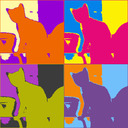
    • popart: Dec 23, 2015 - added new script to create a pop art style image.
    • modulatecolor2: Dec 16, 2015 - added new script to change brightness, saturation, hue for any primary/secondary color in an image.
    • modulatecolor1: Dec 16, 2015 - added new script to change brightness, saturation, hue for any primary/secondary color in an image.
    • thresholds: Nov 25, 2015 - added new script to apply one or two thresholds to an image.
    • cosinebell: Nov 23, 2015 - added new script to create a cosine-bell-shaped tapered alpha channel for compositing two images.
    • toon: Nov 2, 2015 - added new script to apply a cartoon effect to an image.
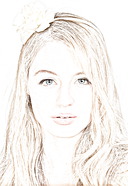
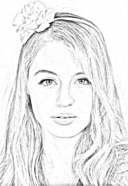
    • sketcher: Oct 31, 2015 - added new script to apply a sketch effect to an image.
    • texteffect2: Sep 9, 2015 - added new script to convert large size text to an image with color, effects and styling.
    • embroidery: Aug 20, 2015 - added new script to apply an embroidery effect to each color in an image.
    • tileimage: Aug 10, 2015 - added new script to tile an image to a given size with various tile arrangements.
    • negative2positive: Jun 20, 2015 - added new script to convert from a (scanned film) negative image to a positive image.
    • colorbalance2: Jun 19, 2015 - added new script to color balance an image in midtones, highlights or shadows.
    • endpoints: Jun 6, 2015 - added new script to apply a Photoshop-like curves operation on an image that only adjusts the endpoints.

  • The following scripts are superceded by newer IM functions:
  • Superceded Scripts:
    • adjoin script is superceded by IM -append
    • anglegradient script is superceded multigradient script
    • autogamma script is superceded by IM -auto-gamma
    • autolevel script is superceded by the sequence of IM -auto-level -auto-gamma
    • bcimage script is superceded by IM -brightness-contrast
    • bilinearwarp script is superceded by IM -distort bilinearforward
    • fisheye2pano script is mostly superceded by IM -distort depolar
    • flicker script is superceded by Anthony's script flicker_cmp
    • levelcolors script is superceded by IM -level-colors
    • moments script is superceded by IM identify -verbose -moments (IM 6.8.8.2)
    • morphology script is superceded by IM -morphology
    • pinbarrel script is superceded by IM -distort barrel and -distort barrelinverse
    • polar script is superceded by IM -distort polar and -distort depolar
    • profile script is superceded by Anthony's script im_profile
    • saturation script is superceded by IM -modulate
    • separate script is superceded by IM -connected-components
    • similar script is superceded by IM compare -metric ncc
    • skew script is superceded by IM -shear
    • stretch script is superceded by IM -auto-level


Scripts By Category
Geometry Image
Effects
Brightness
Contrast
Blur
Sharpen
Edge
Color Threshold
Segment
Noise
Addition
Removal
Fourier
Transform
Miscellaneous
Utilities
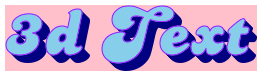
3Dbox Generates a perspective view of a 3D box at any orientation with pictures pasted on each of its sides Generates a perspective view of a 3D box at any orientation with pictures pasted on each of its sides bevel Applies an inner bevel or outer bevel or emboss effect to an image Applies an inner bevel or outer bevel or emboss effect to an image autogamma Modifies an image to automatically apply a gamma correction Modifies an image to automatically apply a gamma correction accentedges Applies accented edges to an image Applies accented edges to an image anglegradient Creates a gradient effect at a specific orientation angle Creates a gradient effect at a specific orientation angle 2colorthresh Automatically thresholds an image to binary (b/w) format using an adaptive spatial subdivision color reduction technique Automatically thresholds an image to binary (b/w) format using an adaptive spatial subdivision color reduction technique denoise Reduces the noise in an image Reduces the noise in an image camerablur Blurs an image in the frequency domain using an ideal blurring filter for either motion blur or lens defocus Blurs an image in the frequency domain using an ideal blurring filter for either motion blur or lens defocus 3Dtext Converts text into an image with a 3D extrusion effect Converts text into an image with a 3D extrusion effect
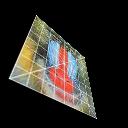
3Dcover Wraps an image around the front and left or right side of box viewed in rotated perspective Wraps an image around the front and left or right side of box viewed in rotated perspective bevelborder Applies a bevel effect to border of an image Applies a bevel effect to border of an image autolevel Modifies an image to automatically stretch the dynamic range between full black and white and automatically apply a gamma correction Modifies an image to automatically stretch the dynamic range between full black and white and automatically apply a gamma correction binomial Generates high pass or low pass filtered images based upon convolution kernels whose weights are derived from the binomial coefficients Generates high pass or low pass filtered images based upon convolution kernels whose weights are derived from the binomial coefficients autocolor Automatically color balances an image Automatically color balances an image fuzzythresh Automatically thresholds an image to binary (b/w) format using the fuzzy c-means technique Automatically thresholds an image to binary (b/w) format using the fuzzy c-means technique filmgrain Applies film grain noise to an image Applies film grain noise to an image cameradeblur Deblurs an image in the frequency domain using an ideal deblurring filter for either motion blur or lens defocus Deblurs an image in the frequency domain using an ideal deblurring filter for either motion blur or lens defocus adjoin Appends multiple images together with positional justification Appends multiple images together with positional justification
3Dreflection Adds a fading reflection below an image and views it in perspective Adds a fading reflection below an image and views it in perspective bordereffects Creates various dispersion-like effects in the border of an image Creates various dispersion-like effects in the border of an image balance Enhances the shadows, midtones and highlight regions of the image Enhances the shadows, midtones and highlight regions of the image binomialedge Sharpens (or blurs) an image near edges using a Binomial shaped filter Sharpens (or blurs) an image near edges using a Binomial shaped filter autotone Automatically tone balances an image Automatically tone balances an image isodatathresh Automatically thresholds an image to binary (b/w) format using the isodata technique Automatically thresholds an image to binary (b/w) format using the isodata technique isonoise Reduces isolated noise in an image Reduces isolated noise in an image cepstrum Creates the cepstrum to depict the type, amount and orientation of camera type blurring in an image Creates the cepstrum to depict the type, amount and orientation of camera type blurring in an image autocaption Places text automatically in a specified square size region that has the least color variation Places text automatically in a specified square size region that has the least color variation
3Drotate Applies a perspective distortion to an image by providing three rotation angles, zoom, offsets, background color, perspective exaggeration and auto zoom/centering Applies a perspective distortion to an image by providing three rotation angles, zoom, offsets, background color, perspective exaggeration and auto zoom/centering bordergrid Creates various grid effects in the border of an image Creates various grid effects in the border of an image bcimage Changes the brightness, contrast and/or saturation of an image Changes the brightness, contrast and/or saturation of an image derivative Applies a first directional derivative filter to an image Applies a first directional derivative filter to an image autotone2 Automatically tone balances an image Automatically tone balances an image kapurthresh Automatically thresholds an image to binary (b/w) format using Kapur's entropy technique Automatically thresholds an image to binary (b/w) format using Kapur's entropy technique kuwahara Applies a Kuwahara type edge preserving noise reduction filter to an image Applies a Kuwahara type edge preserving noise reduction filter to an image dotproductcorr Computes the dot product correlation surface to find where a small image best matches within a larger image Computes the dot product correlation surface to find where a small image best matches within a larger image autolabel Places text automatically in a specified size region that best matches a reference color Places text automatically in a specified size region that best matches a reference color
aspect Resizes an image to a specific size allowing either cropping or padding to deal with the aspect ratio change Resizes an image to a specific size allowing either cropping or padding to deal with the aspect ratio change bump Applies a hemispherical-like bump distortion to an image Applies a hemispherical-like bump distortion to an image bcmatch Modifies one image to try to match its brightness, contrast and optionally saturation to that of another image Modifies one image to try to match its brightness, contrast and optionally saturation to that of another image dog Create an edge extracted image using the difference of two Gaussian blurs. Create an edge extracted image using the difference of two Gaussian blurs. autowhite Automatically adjusts the white balance of an image Automatically adjusts the white balance of an image kmeansthresh Automatically thresholds an image to binary (b/w) format using the k-means technique Automatically thresholds an image to binary (b/w) format using the k-means technique morphology Performs binary or grayscale morphologic operations on an image, including dilate, erode, open and close Performs binary or grayscale morphologic operations on an image, including dilate, erode, open and close fftconvol Performs convolution on an image in the frequency domain Performs convolution on an image in the frequency domain bumptext Applies a raised text effect onto an image Applies a raised text effect onto an image
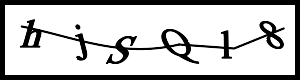
aspectcrop Crops an image to a specified aspect ratio Crops an image to a specified aspect ratio crosshatch Applies a crosshatch effect to an image Applies a crosshatch effect to an image clip Stretches the channels of an image to full black and white according to a clip amount on each end of the histogram Stretches the channels of an image to full black and white according to a clip amount on each end of the histogram edgefx Extracts the edges in an image and optionally composes them with the image to create interesting effects Extracts the edges in an image and optionally composes them with the image to create interesting effects color2alpha Creates a ramped alpha channel from the input image according to the specified color Creates a ramped alpha channel from the input image according to the specified color localthresh Automatically thresholds an image to binary (b/w) format using a moving window adaptive thresholding approach Automatically thresholds an image to binary (b/w) format using a moving window adaptive thresholding approach noisecleaner Iteratively cleans noise from an image Iteratively cleans noise from an image fftdeconvol Performs deconvolution on an image in the frequency domain Performs deconvolution on an image in the frequency domain captcha Creates a six-alphanumeric-character image for use as a challenge response test Creates a six-alphanumeric-character image for use as a challenge response test
aspectpad Pads an image with a color to a specified aspect ratio and orientation Pads an image with a color to a specified aspect ratio and orientation davehilleffect Applies a DaveHill-like effect to an image Applies a DaveHill-like effect to an image curves Generate a smoothly interpolated, curved mapping look up table from a set of break points and applies it to an image Generate a smoothly interpolated, curved mapping look up table from a set of break points and applies it to an image edges Applies edge extraction to image Applies edge extraction to image color2gray Mixes the color channels from an image into a single grayscale image using a weighted combination Mixes the color channels from an image into a single grayscale image using a weighted combination otsuthresh Automatically thresholds an image to binary (b/w) format using Otsu's between class variance technique Automatically thresholds an image to binary (b/w) format using Otsu's between class variance technique perlin Creates an image composed of Perlin type noise Creates an image composed of Perlin type noise fftfilter Performs filtering on an image in the frequency domain Performs filtering on an image in the frequency domain cartoon Creates a cartoon-like appearance to an image Creates a cartoon-like appearance to an image
autotrim Automatically trims the background border around a normally oriented or rotated image Automatically trims the background border around a normally oriented or rotated image disperse Applies a dispersion effect to an image Applies a dispersion effect to an image dualtonemap Enhances the shadows and/or highlight regions in an image Enhances the shadows and/or highlight regions in an image enrich Enhances an image by high pass filtering and composition Enhances an image by high pass filtering and composition coloration Mixes the color channels from an image into a grayscale image and then tints it Mixes the color channels from an image into a grayscale image and then tints it ptilethresh Automatically thresholds an image to binary (b/w) format at a specified percentile on the cumulative histogram Automatically thresholds an image to binary (b/w) format at a specified percentile on the cumulative histogram statsfilt Computes various localized (neighborhood) statistical filters on an image Computes various localized (neighborhood) statistical filters on an image normcrosscorr Computes the normalized cross correlation surface to find where a small image best matches within a larger image Computes the normalized cross correlation surface to find where a small image best matches within a larger image chrome Applies a chrome effect to a binary image Applies a chrome effect to a binary image
bilinearwarp Generates a proper four-point bilinear warp of the input image Generates a proper four-point bilinear warp of the input image draganeffect Applies a Dragan-like effect to an image to enhance wrinkles creating a 'gritty' effect Applies a Dragan-like effect to an image to enhance wrinkles creating a 'gritty' effect duotonemap Enhances the shadows and/or highlight regions in an image Enhances the shadows and/or highlight regions in an image gaussian Generates high pass or low pass filtered images based upon a Gaussian shaped convolution. Generates high pass or low pass filtered images based upon a Gaussian shaped convolution. colorbalance Manually color balances an image in midtones, highlights, shadows or overall Manually color balances an image in midtones, highlights, shadows or overall sahoothresh Automatically thresholds an image to binary (b/w) format using Sahoo's entropy technique Automatically thresholds an image to binary (b/w) format using Sahoo's entropy technique notch Creates and applies a notch filter to an image in the frequency domain to remove dither patterns and other regular noise patterns Creates and applies a notch filter to an image in the frequency domain to remove dither patterns and other regular noise patterns cone Draws a cone-shaped object on an image Draws a cone-shaped object on an image
bubblewarp Applies or reverses a warp of an image onto a bubble Applies or reverses a warp of an image onto a bubble emboss Applies an emboss effect to an image Applies an emboss effect to an image endpoints Applies a Photoshop-like curves operation on an image that only adjusts the linear endpoints Applies a Photoshop-like curves operation on an image that only adjusts the linear endpoints gaussianedge Sharpens (or blurs) an image near edges using a Gaussian shaped filter Sharpens (or blurs) an image near edges using a Gaussian shaped filter colorbalance2 Manually color balances an image in midtones, highlights, or shadows Manually color balances an image in midtones, highlights, or shadows separate Identifies each separate white shape in a binary image Identifies each separate white shape in a binary image phasecorr Computes the phase correlation surface to find where a small image best matches within a larger image Computes the phase correlation surface to find where a small image best matches within a larger image cosinebell Creates a cosine-bell-shaped tapered alpha channel in an image and optionally blends the image into a background image Creates a cosine-bell-shaped tapered alpha channel in an image and optionally blends the image into a background image
centertrim Trims an image so as to preserve the image center Trims an image so as to preserve the image center embroidery Applies an embroidery effect to each color in an image Applies an embroidery effect to each color in an image exposure Changes the exposure level of an image Changes the exposure level of an image gradient Applies a gradient filter to an image. Applies a gradient filter to an image. colorboost Enhances the color in an under saturated image Enhances the color in an under saturated image textcleaner Processes a scanned document of text to clean the text background Processes a scanned document of text to clean the text background rmsecorr Computes the root mean squared correlation surface to find where a small image best matches within a larger image Computes the root mean squared correlation surface to find where a small image best matches within a larger image cumhist Creates the combined grayscale cumulative histogram of one or more images Creates the combined grayscale cumulative histogram of one or more images
cylinderize Applies a cylinder distortion to an image so that the image is wrapped about the cylinder Applies a cylinder distortion to an image so that the image is wrapped about the cylinder frosted Applies a frosted glass effect to an image Applies a frosted glass effect to an image histmatch Modifies one image to try to match its histogram and optionally saturation to that of another image Modifies one image to try to match its histogram and optionally saturation to that of another image houghlines Uses the Hough Transform technique to compute and display straight lines from a binary edge image Uses the Hough Transform technique to compute and display straight lines from a binary edge image colorconverter To convert any valid ImageMagick color specification to the other ImageMagick color representations To convert any valid ImageMagick color specification to the other ImageMagick color representations trianglethresh Automatically thresholds an image to binary (b/w) format using the triangle technique Automatically thresholds an image to binary (b/w) format using the triangle technique spectrum Computes the spectrum image from the magnitude of the Fourier Transform of an image Computes the spectrum image from the magnitude of the Fourier Transform of an image entropy Computes the normalized entropy of an image channel-by-channel Computes the normalized entropy of an image channel-by-channel
cylinderwarp Applies a cylinder distortion to an image using a displacement map and arguments provided by the script cylinderize Applies a cylinder distortion to an image using a displacement map and arguments provided by the script cylinderize furrowed Applies a furrowed-looking effect to an image to enhance wrinkles creating a "gritty" look Applies a furrowed-looking effect to an image to enhance wrinkles creating a "gritty" look kneemap Creates a symmetric soft knee-shaped curved mapping look up table and applies it to an image Creates a symmetric soft knee-shaped curved mapping look up table and applies it to an image laplacian Applies a laplacian filter to an image Applies a laplacian filter to an image colorcoords Locates in the image the first location and/or last location for the closest pixel within the fuzz value to the color specified Locates in the image the first location and/or last location for the closest pixel within the fuzz value to the color specified whiteboard Processes a picture of a whiteboard to clean up the background and correct the perspective Processes a picture of a whiteboard to clean up the background and correct the perspective feather Feathers (smoothes) the white-to-black transition in a binary mask image Feathers (smoothes) the white-to-black transition in a binary mask image
defisheye Corrects for fisheye distortion in an image Corrects for fisheye distortion in an image fxtransitions Creates an animated transition between two images using a special effect distortion Creates an animated transition between two images using a special effect distortion levels Applies a Photoshop-like levels operation on an image Applies a Photoshop-like levels operation on an image polarblur Applies a polar blur to an image Applies a polar blur to an image colorfilter Applies a photographic color filter to an image Applies a photographic color filter to an image flicker Displays and optionally save an animation of the input images Displays and optionally save an animation of the input images
diagcollage Collages three images in a diagonal orientation Collages three images in a diagonal orientation glasseffects Modifies an image so that it appears to be viewed through textured and/or tiled glass Modifies an image so that it appears to be viewed through textured and/or tiled glass omnistretch Enhances the dynamic range of brightness values and optionally saturation values in an image Enhances the dynamic range of brightness values and optionally saturation values in an image posteredges Applies posterized edges to an image Applies posterized edges to an image colorglow Applies a color glow effect to an image Applies a color glow effect to an image flickerchannel Displays and optionally save an animation of the channels in an image Displays and optionally save an animation of the channels in an image
downsize Downsizes (reduces) an image to a specified file size Downsizes (reduces) an image to a specified file size glow Creates a glowing effect in an image Creates a glowing effect in an image pseudocolor Generates a pseudocolored image or pseudocolored animation from grayscale image using a rainbow colored transformation Generates a pseudocolored image or pseudocolored animation from grayscale image using a rainbow colored transformation sharp Adaptively sharpens an image or extract edges Adaptively sharpens an image or extract edges colorspectrum Generates a spectrum-like image from the colors in an image Generates a spectrum-like image from the colors in an image grid Superimposes a set of horizontal and/or vertical grid lines on an image Superimposes a set of horizontal and/or vertical grid lines on an image
fisheye Applies a fisheye distortion to an image Applies a fisheye distortion to an image halo Applies a circular halo to an image Applies a circular halo to an image plm Generates a piece-wise linear mapping grayscale look up table and applies it to an image Generates a piece-wise linear mapping grayscale look up table and applies it to an image sharpedge Adaptively sharpens (or blurs) an image near edges Adaptively sharpens (or blurs) an image near edges colortemp Transforms an image's overall color balance according to a desired color temperature change Transforms an image's overall color balance according to a desired color temperature change histcompare Computes one of several metrics characterizing the difference between the histograms of two images Computes one of several metrics characterizing the difference between the histograms of two images
fisheye2pano Generates a strip panoramic image from a linear type fisheye image with optional vertical perspective correction Generates a strip panoramic image from a linear type fisheye image with optional vertical perspective correction imageborder Appends an image border by extending the outer regions of the image Appends an image border by extending the outer regions of the image redist Modifies an image so that its (grayscale) histogram has a either Gaussian, distribution or a Uniform Distribution Modifies an image so that its (grayscale) histogram has a either Gaussian, distribution or a Uniform Distribution variableblur Applies a variable blur to an image based upon a mask image Applies a variable blur to an image based upon a mask image colortoning Color tones an image in highlights and/or shadows and/or overall Color tones an image in highlights and/or shadows and/or overall histog Generates an output image which is composed of the histograms from each channel of the input image Generates an output image which is composed of the histograms from each channel of the input image
fisheye2rect Generates a perspective (rectilinear) image from a region of a vertically viewed fisheye image Generates a perspective (rectilinear) image from a region of a vertically viewed fisheye image kaleidoscope Applies a kaleidoscope effect to an image Applies a kaleidoscope effect to an image retinex Enhances detail and color in an image using the multiscale retinex algorithm Enhances detail and color in an image using the multiscale retinex algorithm zerocrossing Applies a zero crossing edge detector to an image Applies a zero crossing edge detector to an image crossprocess Applies a color crossprocessing effect to an image Applies a color crossprocessing effect to an image interleave Interleaves the channels of a single image or each image of a set of multiple images Interleaves the channels of a single image or each image of a set of multiple images
innercrop Crops an image to a rectangle that will just trim any irregularly shaped outer boundary color Crops an image to a rectangle that will just trim any irregularly shaped outer boundary color kaleidoscopic Applies a kaleidoscope effect to an image Applies a kaleidoscope effect to an image shadowhighlight Adjusts the tone in shadow and highlight areas of an image Adjusts the tone in shadow and highlight areas of an image zoomblur Applies a radial or zoom blur to an image Applies a radial or zoom blur to an image enhancelab Applies brightness/contrast/colorization enhancement on an image via LAB colorspace Applies brightness/contrast/colorization enhancement on an image via LAB colorspace interweave Interleaves two images together in swaths Interleaves two images together in swaths
limitedtrim Trims an image on all sides to a maximum amount specified by the user Trims an image on all sides to a maximum amount specified by the user lichtenstein Applies a Roy Lichtenstein newspaper cartoon effect to an image Applies a Roy Lichtenstein newspaper cartoon effect to an image sigmoidal Applies a sigmoidal brightness and/or contrast adjustment to an image Applies a sigmoidal brightness and/or contrast adjustment to an image graytoning Mixes color channels from an image into a grayscale image and optionally tints it Mixes color channels from an image into a grayscale image and optionally tints it magicwand Isolates a contiguous region of an image based upon a color determined from a user specified image coordinate Isolates a contiguous region of an image based upon a color determined from a user specified image coordinate
lupe Applies a magnifying glass effect in a local area of an image Applies a magnifying glass effect in a local area of an image lucisarteffect Applies a LucisArt-like effect to an image Applies a LucisArt-like effect to an image space Applies a spatially adaptive contrast (and brightness) enhancement filter to an image Applies a spatially adaptive contrast (and brightness) enhancement filter to an image huemap Transforms the hues in an image from one range to another Transforms the hues in an image from one range to another maxima Locates one or more local maxima in a grayscale image Locates one or more local maxima in a grayscale image
meshwarp Warps an image according to a user supplied triangular mesh Warps an image according to a user supplied triangular mesh melt Creates a melting-like blur effect in an image Creates a melting-like blur effect in an image space2 Applies a spatially adaptive contrast (and brightness) enhancement filter to an image Applies a spatially adaptive contrast (and brightness) enhancement filter to an image isolatecolor Isolates a particular color in an image Isolates a particular color in an image median Computes the median value of an image Computes the median value of an image
multicrop Crops and unrotates multiple images from a scanned image Crops and unrotates multiple images from a scanned image mirrorize Creates a mirror effect in an image Creates a mirror effect in an image stretch Modifies an image to automatically stretch the dynamic range between full black and white Modifies an image to automatically stretch the dynamic range between full black and white kmeans Applies k-means color reduction to an image Applies k-means color reduction to an image mode Computes the mode value of an image Computes the mode value of an image
multicrop2 Crops and unrotates multiple images from a scanned image Crops and unrotates multiple images from a scanned image mosaictiles Applies a mosaic tiles effect to image Applies a mosaic tiles effect to image tonemap1 Enhances the shadows and/or highlight regions in an image using a non-linear log or gamma function Enhances the shadows and/or highlight regions in an image using a non-linear log or gamma function levelcolors Applies a color level transformation to an image channel-by-channel Applies a color level transformation to an image channel-by-channel moments Computes shift, scale and rotation invariant image moments as well as elliptical shape descriptors Computes shift, scale and rotation invariant image moments as well as elliptical shape descriptors
overlapcrop Creates a sequence of cropped subsections permitting optional overlap of the subsections Creates a sequence of cropped subsections permitting optional overlap of the subsections mottle Applies various mottle effects to an image Applies various mottle effects to an image tonemap2 Enhances the shadows and/or highlight regions in an image using a non-linear log or gamma function plus an extra processing function Enhances the shadows and/or highlight regions in an image using a non-linear log or gamma function plus an extra processing function locatecolors Modifies an image showing only those pixels which are within the specified color range Modifies an image showing only those pixels which are within the specified color range multigradient Creates either a linear or radial gradient image with two or more color stops Creates either a linear or radial gradient image with two or more color stops
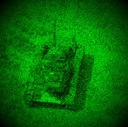
pano2rect Applies vertical perspective correction to an angular panoramic image Applies vertical perspective correction to an angular panoramic image nightvision Simulates a picture as viewed through night vision goggles Simulates a picture as viewed through night vision goggles tonemap3 Enhances the shadows and/or highlight regions in an image using a non-linear log or gamma function plus an extra processing function Enhances the shadows and/or highlight regions in an image using a non-linear log or gamma function plus an extra processing function mapcolors Maps or translates one set of colors in an image to another set of colors Maps or translates one set of colors in an image to another set of colors negative2positive Converts from a (scanned film) negative image to a positive image Converts from a (scanned film) negative image to a positive image
peelingpaint Applies a peeling paint effect to an image Applies a peeling paint effect to an image ortoneffect Applies an Orton effect to an image Applies an Orton effect to an image tonemap4 Enhances the shadows and/or highlight regions in an image using a dual gamma function plus an extra processing function Enhances the shadows and/or highlight regions in an image using a dual gamma function plus an extra processing function midtonebalance Color balances an image in the midtones in a manner similar to Photoshop Color balances an image in the midtones in a manner similar to Photoshop phashcompare Compares two 168 digit phash strings to compute a phash metric Compares two 168 digit phash strings to compute a phash metric
pinbarrel Applies or corrects pincushion and/or barrel lens distortion to an image Applies or corrects pincushion and/or barrel lens distortion to an image pagecurl Applies a pagecurl effect to the lower right corner of an image Applies a pagecurl effect to the lower right corner of an image xposure Changes the exposure level of an image by photographic stops Changes the exposure level of an image by photographic stops modulatecolor1 Changes brightness, saturation and/or hue for any primary or secondary color in an image Changes brightness, saturation and/or hue for any primary or secondary color in an image phashconvert Converts the 42 phash float values for an image to a string of 168 digits Converts the 42 phash float values for an image to a string of 168 digits
polar Applies either a rectangular (cartesian) to polar transformation or a polar to rectangular (cartesian) transformation on an image Applies either a rectangular (cartesian) to polar transformation or a polar to rectangular (cartesian) transformation on an image pagepeel Applies a pagepeel effect to the lower right corner of an image Applies a pagepeel effect to the lower right corner of an image modulatecolor2 Changes brightness, saturation and/or hue for any primary or secondary color in an image Changes brightness, saturation and/or hue for any primary or secondary color in an image picframe Adds a picture frame around an image Adds a picture frame around an image
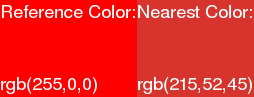
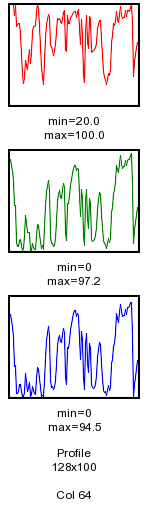
rotate3D Applies a perspective distortion to an image by providing three rotation angles and an optional perspective exaggeration Applies a perspective distortion to an image by providing three rotation angles and an optional perspective exaggeration perforations Applies film-like perforations to two opposite edges of an image Applies film-like perforations to two opposite edges of an image nearestcolor Finds the nearest color value in an image to a reference color Finds the nearest color value in an image to a reference color plot Generates a profile of an image row or column or an image histogram. Generates a profile of an image row or column or an image histogram.
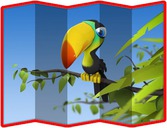
shapemorph Create a shape morphing animation sequence between two images Create a shape morphing animation sequence between two images picturefold Applies a map-like folded appearance to an image Applies a map-like folded appearance to an image plmlut Generates a piece-wise linear mapping grayscale look up table Generates a piece-wise linear mapping grayscale look up table plot3D Generates a 3D plot of a single channel or grayscale image Generates a 3D plot of a single channel or grayscale image
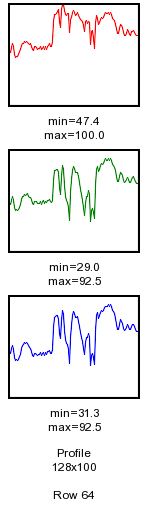
shapemorph2 Create a shape morphing animation sequence between two images Create a shape morphing animation sequence between two images pixelize Creates a pixelized or blocky effect in an image Creates a pixelized or blocky effect in an image popart Creates a pop art style image Creates a pop art style image profile Generates a profile of an image row or column Generates a profile of an image row or column
skew Applies a skew distortion to an image Applies a skew distortion to an image postagestamp Applies a perforated postage stamp like border around an image Applies a perforated postage stamp like border around an image redeye Removes redeye from an image Removes redeye from an image radialgradient Creates a radial gradient image Creates a radial gradient image
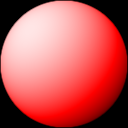
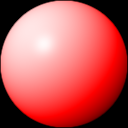
sphere Creates a colored sphere with a combination of diffuse and specular illumination Creates a colored sphere with a combination of diffuse and specular illumination puzzle Applies a puzzle like effect to an image Applies a puzzle like effect to an image remap Remaps the colors in an image using a 3D color distance metric relative to a color table map image Remaps the colors in an image using a 3D color distance metric relative to a color table map image randomblob Creates an image composed of a moderate sized black random blob shape on a white background Creates an image composed of a moderate sized black random blob shape on a white background
spherize Warps an image onto a (hemi-)sphere Warps an image onto a (hemi-)sphere recursion Creates a recursive affine composite effect in an image Creates a recursive affine composite effect in an image replacecolor Changes one color to another color in an image Changes one color to another color in an image similar Computes the normalized cross correlation similarity metric between two equal dimensioned images Computes the normalized cross correlation similarity metric between two equal dimensioned images
splitcrop Crops an image into two or four sections according to the given x,y coordinates Crops an image into two or four sections according to the given x,y coordinates reflect Splits an image, reflects each side and appends them to form horizontally symmetric images Splits an image, reflects each side and appends them to form horizontally symmetric images saturation Changes the color saturation in an image Changes the color saturation in an image splitimage Generates a side-by-side append of two partial images with an option to animate the amount of each image used in the append Generates a side-by-side append of two partial images with an option to animate the amount of each image used in the append
squareup Resizes an image and squares it up either by padding or cropping Resizes an image and squares it up either by padding or cropping ripples Applies various circular ripple effects to an image Applies various circular ripple effects to an image scatter Generates a channel-by-channel scatter diagram between two images. Generates a channel-by-channel scatter diagram between two images. ssim Computes the structural similarity metric between two equal sized images Computes the structural similarity metric between two equal sized images
trimmer Trims the background from any number of specified sides of an image Trims the background from any number of specified sides of an image screeneffects Applies screen-like effects to an image Applies screen-like effects to an image scatterchannels Generates a scatter diagram between channels of an image Generates a scatter diagram between channels of an image stdimage Computes a pixel-by-pixel standard deviation or variance image from multiple input images Computes a pixel-by-pixel standard deviation or variance image from multiple input images
tshirt Transforms an image to place it in a region of a tshirt image Transforms an image to place it in a region of a tshirt image sketch Applies a sketch effect to an image Applies a sketch effect to an image slice Thresholds an image (inclusively) between a range of graylevels and optionally colorizes inside and/or outside the threshold range Thresholds an image (inclusively) between a range of graylevels and optionally colorizes inside and/or outside the threshold range texteffect Convert text to an image after applying various effects, styling and color Convert text to an image after applying various effects, styling and color
tshirtwarp Transforms an image to place it in a region of a tshirt image using a lighting file, a displacement map and arguments provided by the script tshirt Transforms an image to place it in a region of a tshirt image using a lighting file, a displacement map and arguments provided by the script tshirt sketcher Applies a sketch effect to an image Applies a sketch effect to an image spectrumhist Creates either a color spectrum or histogram of the colors in an image Creates either a color spectrum or histogram of the colors in an image texteffect2 Converts large size text to an image with color, effects and styling Converts large size text to an image with color, effects and styling
turn Simultaneously rotates and crops an image to eliminate any background Simultaneously rotates and crops an image to eliminate any background slantedlight Applies slanted lighting to an image. Applies slanted lighting to an image. splittone1 Applies a color splittone effect to an image Applies a color splittone effect to an image thresholds Applies one or two thresholds to an image. Applies one or two thresholds to an image.
unperspective Automatically removes pespective distortion from an image Automatically removes pespective distortion from an image softfocus Applies a softfocus effect to an image Applies a softfocus effect to an image splittone2 Applies a color splittone effect to an image Applies a color splittone effect to an image tileimage Tiles an image to a given size with various tile arrangements Tiles an image to a given size with various tile arrangements
unrotate Automatically unrotates a rotated image and trims the surrounding border Automatically unrotates a rotated image and trims the surrounding border softlight Applies soft light to an image Applies soft light to an image splittone3 Applies a color splittone effect to an image Applies a color splittone effect to an image tiler Converts an image into a tilable texture Converts an image into a tilable texture
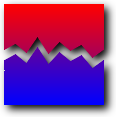
splice Applies a jagged cut and splice effect to an image Applies a jagged cut and splice effect to an image tintilize Applies a color tint to the mid-range of a grayscale image Applies a color tint to the mid-range of a grayscale image woodgrain Simulates a woodgrain texture Simulates a woodgrain texture
spots Converts the image into a series of uniform-colored spots Converts the image into a series of uniform-colored spots uwcorrect Corrects the color balance for red light attenuation in pictures taken underwater Corrects the color balance for red light attenuation in pictures taken underwater
stainedglass Applies a stained glass cell effect to an image Applies a stained glass cell effect to an image tricolorize Smoothly colorizes a grayscale image with either one, two or three different colors Smoothly colorizes a grayscale image with either one, two or three different colors
starburst Applies a starburst pattern to an image Applies a starburst pattern to an image vibrance Applies a non-linear change to the saturation of an image Applies a non-linear change to the saturation of an image
striations Applies radial or circular striations to image Applies radial or circular striations to image warholeffect Creates an Andy Warhol style colorization image Creates an Andy Warhol style colorization image
stutter Creates a 'stuttered' offset-like effect in an image Creates a 'stuttered' offset-like effect in an image whitebalance Transform an image's overall color balance according to a desired change in a specified white point color Transform an image's overall color balance according to a desired change in a specified white point color wavemap Transforms the graylevels in each RGB channel according to a sinusoidal wave function Transforms the graylevels in each RGB channel according to a sinusoidal wave function
texturize Creates a texture pattern and optionally applies it to the background of an input image Creates a texture pattern and optionally applies it to the background of an input image
thermography Simulates a picture taken with a thermal imaging camera Simulates a picture taken with a thermal imaging camera
tiltshift Applies a tiltshift effect to an image Applies a tiltshift effect to an image
toon Applies a cartoon effect to an image Applies a cartoon effect to an image
toycamera Simulates pictures taken by lomographic or holga type toy cameras Simulates pictures taken by lomographic or holga type toy cameras
transitions Applies an animated transition between two images Applies an animated transition between two images
tunnelize Creates a tunnel-like effect on an image Creates a tunnel-like effect on an image
vignette Applies a vignette effect to a picture Applies a vignette effect to a picture
vignette2 Applies a vignette effect to a picture Applies a vignette effect to a picture
vignette3 Applies a vignette effect to a picture Applies a vignette effect to a picture
vintage1 Applies a classic blue-green vintage effect to an image Applies a classic blue-green vintage effect to an image
vintage2 Applies a colorful vintage effect to an image Applies a colorful vintage effect to an image
vintage3 Applies an old, heritage style vintage effect to an image Applies an old, heritage style vintage effect to an image
woodcut Applies a woodcut effect to an image Applies a woodcut effect to an image


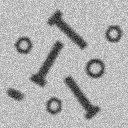
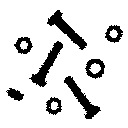
Automatically thresholds an image to binary (b/w) format using an adaptive spatial subdivision color reduction technique.

last modified: November 03, 2015

original

thresholded


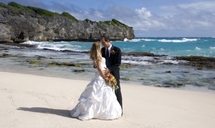
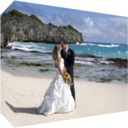
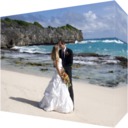
Generates a perspective view of a 3D box at any orientation with pictures pasted on each of its sides

last modified: October 06, 2014

example 1

example 2
example 1:
pan=45 degrees
tilt=-45 degrees
example 2:
pan=45 degrees
tilt=-30 degrees


Wraps an image around the front and left or right side of box viewed in rotated perspective

last modified: October 16, 2015

original

example 1

example 2


Adds a fading reflection below an image and views it in perspective.

last modified: October 08, 2014

original

reflected


Applies a perspective distortion to an image by providing rotation angles, zoom and offsets.

last modified: October 06, 2014

original

modified
pan=45 degrees
tilt=45 degrees
zoom=-1.5


Converts text into an image with a 3D extrusion effect.

last modified: January 29, 2015


Applies accented edges to an image.

last modified: October 09, 2014

original
image

black
edges

white
edges


Appends multiple images together with positional justification.

last modified: October 09, 2014

3 center aligned appended images


Creates a gradient effect at a specific orientation angle.

last modified: November 05, 2014

standard gray

red 30 degrees


Resizes an image to a specific size allowing either cropping or padding to deal with the aspect ratio change.

last modified: October 12, 2014

original

cropped

padded


Crops an image to a specified aspect ratio.

last modified: October 12, 2014

original (0.80)

aspect (1:1=>1.00)

aspect (1:2=>0.50)


Pads an image with a color to a specified aspect ratio and orientation.

last modified: October 12, 2014

original (3:2)

aspect (2:1)

aspect (4:3)


Places text automatically in a specified square size region that has the least color variation.

last modified: October 01, 2015

original
image

captioned
image


Automatically color balances an image.

last modified: November 06, 2014

original
image

color
adjusted


Modifies an image to automatically apply a gamma correction.

last modified: November 06, 2014

original
image

colormode
luminance

colormode
rgb


Places text automatically in a specified size region that best matches a reference color.

last modified: October 13, 2014

original
image

label
mode

caption
mode


Modifies an image to automatically stretch the dynamic range between full black and white and automatically apply a gamma correction.

last modified: November 06, 2014

original
image

colormode
luminance

colormode
rgb


Automatically tone balances an image.

last modified: April 21, 2016

original

processed


Automatically tone balances an image.

last modified: June 10, 2015

original

processed


Automatically trim the background border around a normally oriented or rotated image.

last modified: October 02, 2015

original

trimmed


Automatically adjusts the white balance of an image.

last modified: April 25, 2015

original

method 1

method 2


Enhances the shadows, midtones and highlight regions of the image.

last modified: April 25, 2015

original

example 1

example 2


Changes the brightness, contrast and/or saturation of an image

last modified: April 25, 2015


original


enhanced

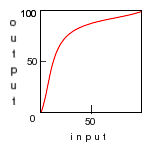
mapping graph


Modifies one image to try to match its brightness, contrast and optionally saturation to that of another image

last modified: April 25, 2015

reference
image

dark
image

enhanced
image


Applies an inner bevel or outer bevel or emboss effect to an image.

last modified: September 12, 2015

original
image

inner
bevel

outer
bevel


Applies a bevel effect to the border of an image.

last modified: April 25, 2015

original
image

outer
bevel

inner
bevel


Generates a proper four-point bilinear warp of the input image.

last modified: April 25, 2015

original

warped


Generates high pass or low pass filtered images using a convolution kernel whose weights are derived from the binomial coefficients.

last modified: April 29, 2015

original
image

high pass
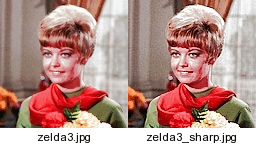
sharpened image

low pass
blurred image


Sharpens (or blurs) an image near edges using a Binomial shaped filter.

last modified: April 25, 2015

original
image

sharpening
near edges

sharpening
everywhere


Creates various dispersion-like effects in the border of an image.

last modified: April 25, 2015

original

example 1

example 2


Creates various grid effects in the border of an image.

last modified: April 25, 2015

original

example 1

example 2


Applies or reverses a warp of an image onto a bubble.

last modified: April 25, 2015

original
image

polar warp
(arcsin)

rect warp
(arcsin)


Applies a hemispherical-like bump distortion to an image.

last modified: April 25, 2015

original

bump

masked bump


Applies a raised text effect onto an image.

last modified: April 25, 2015

original

example 1

example 2


Blurs an image in the frequency domain using an ideal blurring filter for either motion blur or lens defocus.

last modified: September 12, 2015

original

motion blur

defocus


Deblurs an image in the frequency domain using an ideal deblurring filter for either motion blur or lens defocus.

last modified: November 20, 2015

original
motion blurred

deblurred


Creates a six-alphanumeric-character image for use as a challenge response test.

last modified: April 25, 2015


Creates a cartoon-like appearance to an image.

last modified: August 08, 2015

original

cartoon


Trims an image so as to preserve the image center.

last modified: April 25, 2015

original

trimmed


Creates the cepstrum to depict the type, amount and orientation of camera type blurring in an image.

last modified: July 19, 2015

defocused
image


cepstrum
image


Applies a chrome effect to a binary image.

last modified: April 25, 2015

original

example 1

example 2


Stretches the channels of an image to full black and white according to a clip amount on each end of the histogram.

last modified: April 25, 2015

original
image

colormode
I

colormode
RGB


Creates a ramped alpha channel from the input image according to the specified color

last modified: April 25, 2015

original
image

alpha
added

color
replaced


Mixes the color channels from an image into a single grayscale image using a weighted combination.

last modified: April 25, 2015

original
image

weighted
add

colorspace
hsl


Mixes the color channels from an image into a grayscale image and then tints it.

last modified: April 25, 2015

original

red

cyan


Manually color balances an image in midtones, highlights, shadows or overall.

last modified: April 25, 2015

original
image

red
all

red
midtones


Manually color balances an image in midtones, highlights, or shadows.

last modified: June 19, 2015

original
image

red
midtones


Enhances the color in an under saturated image.

last modified: April 25, 2015

original

enhanced


To convert any valid ImageMagick color specification to the other ImageMagick color representations.

last modified: August 18, 2015


Locates in the image the first location and/or last location for the closest pixel within the fuzz value to the color specified.

last modified: April 25, 2015

image
color="rgb(234,43,44)"; fuzzval=15%

First Location = 42,11
Last Location = 118,122


Applies a photographic color filter to an image.

last modified: September 12, 2015

original

filtered


Applies a color glow effect to an image.

last modified: April 30, 2015

original

processed


Generates a spectrum-like image from the colors in an image.

last modified: August 17, 2015

original
image


spectrum
image


Transforms an image's overall color balance according to a desired color temperature change.

last modified: April 25, 2015

original
image

5000 deg K

8000 deg K


Color tones an image in highlights and/or shadows and/or overall.

last modified: April 25, 2015

original

result


Draws a cone-shaped object on an image

last modified: April 25, 2015


method 1


method2


Creates a cosine-bell-shaped tapered alpha channel in an image and optionally blends the image into a background image.

last modified: November 23, 2015


image 1


image 2


composite


Applies a crosshatch effect to an image

last modified: April 25, 2015

original

processed


Applies a color crossprocessing effect to an image

last modified: April 25, 2015

original

processed


Creates the combined grayscale cumulative histogram of one or more images

last modified: April 25, 2015


original

normal

complemented


Generate a smoothly interpolated, curved mapping look up table from a set of break points and applies it to an image

last modified: January 14, 2016


original


modified

mapping graph


Applies a cylinder distortion to an image so that the image is wrapped about the cylinder

last modified: September 20, 2015


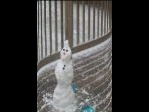
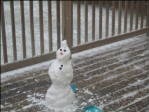
original


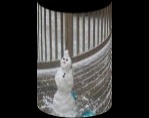
cylinderized


cylinderized


Applies a cylinder distortion to an image using a displacement map and arguments provided by the script cylinderize

last modified: September 20, 2015


original


result


animation


Applies a DaveHill-like effect to an image.

last modified: April 29, 2015

original

enhanced


Corrects for fisheye distortion in an image.

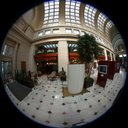
last modified: April 25, 2015

original
fisheye

corrected
perspective


Reduces the noise in an image.

last modified: April 29, 2015

noisy
image

denoised
image


Applies a first directional derivative filter to an image to extract certain edges.

last modified: April 25, 2015

original
image

45 degree
derivative

225 degree
derivative


Collages three images in a diagonal orientation

last modified: April 25, 2015

image1

image2

image3

result


Applies a dispersion effect to an image

last modified: April 25, 2015

original

example 1

example 2


Create an edge extracted image using the difference of two Gaussian blurs

last modified: April 25, 2015

original

edges

thresholded


Computes the dot product correlation surface to find where a small image best matches within a larger image.

last modified: July 28, 2015


small
image

large
image

correlation
image

match
location


Downsizes (reduces) an image to a specified file size

last modified: February 02, 2016


Applies a Dragan-like effect to an image to enhance wrinkles creating a 'gritty' effect.

last modified: April 29, 2015

original

enhanced


Enhances the shadows and/or highlight regions in an image.

last modified: April 25, 2015

original

enhanced


Enhances the shadows and/or highlight regions in an image.

last modified: April 25, 2015

original

enhanced


Extracts the edges in an image and optionally composes them with the image to create interesting effects

last modified: April 25, 2015


Applies edge extraction to image

last modified: April 25, 2015


Applies an emboss effect to an image

last modified: April 25, 2015

original

method 1

method 2


Applies an embroidery effect to each color in an image

last modified: September 24, 2015

original

processed


Applies a Photoshop-like curves operation on an image that only adjusts the linear endpoints

last modified: June 06, 2015

original

result


Enhances an image by high pass filtering and composition

last modified: April 25, 2015

original

enhanced


Enhances an image by high pass filtering and composition

last modified: April 25, 2015

original

enriched


Computes the normalized entropy of an image channel-by-channel

last modified: April 25, 2015

original
Red Entropy = 0.92939
Green Entropy = 0.983668
Blue Entropy = 0.980503
Average RGB Entropy = 0.96452


Changes the exposure level of an image

last modified: April 25, 2015

original

brighter

darker


Feathers (smoothes) the white-to-black transition in a binary mask image.

last modified: April 25, 2015

binary
mask

feathered
mask

feathered composite


Performs convolution on an image in the frequency domain.

last modified: September 12, 2015

original

motion blur filter

result


Performs deconvolution on an image in the frequency domain.

last modified: September 12, 2015

original

motion blur filter

result


Performs filtering on an image in the frequency domain.

last modified: September 12, 2015

original

notch filter

result


Applies film grain noise to an image.

last modified: April 25, 2015

original

processed


Applies a fisheye distortion to an image.

last modified: April 25, 2015

original
perspective

linear
fisheye


Generates a strip panoramic image from a linear type fisheye image with optional vertical perspective correction.

last modified: April 25, 2015

fisheye


panorama


Generates a perspective (rectilinear) image from a region of a vertically viewed fisheye image.

last modified: April 25, 2015

fisheye


perspective


Displays and optionally save an animation of the input images.

last modified: April 25, 2015

original
image

sharpened
image

flicker
animation


Displays and optionally save an animation of the channels in an image.

last modified: April 25, 2015


original
image

rgb
animation

hsl
animation


Applies a frosted glass effect to an image.

last modified: April 25, 2015

original

frosted


Applies a furrowed-looking effect to an image to enhance wrinkles creating a "gritty" look.

last modified: December 28, 2015

original

furrowed


Automatically thresholds an image to binary (b/w) format using the fuzzy c-means technique.

last modified: November 03, 2015

original

thresholded


Creates an animated transition between two images using a special effect distortion

last modified: August 12, 2015

image 1

image 2

transition


Generates high pass or low pass filtered images based upon a Gaussian shaped convolution.

last modified: April 25, 2015

original
image

high pass
sharpened image

low pass
blurred image


Sharpens (or blurs) an image near edges using a Gaussian shaped filter.

last modified: April 25, 2015

original
image

sharpening
near edges

sharpening
everywhere


Modifies an image so that it appears to be viewed through textured and/or tiled glass.

last modified: April 25, 2015

original
image

displace
grid

overlay
grid


Creates a glowing effect in an image

last modified: April 25, 2015

original

Glow

Soft Glow


Applies a gradient filter to an image to extract edges.

last modified: April 29, 2015

original
image

gradient

gradient
thresholded


Mixes color channels from an image into a grayscale image and optionally tints it.

last modified: April 25, 2015

original
image

graytone

graytone
tinted


Superimposes a set of horizontal and/or vertical grid lines on an image.

last modified: April 25, 2015

original
image

black
grid

white
grid


Applies a circular halo to an image.

last modified: April 25, 2015

original

halo 1

halo 2


Computes one of several metrics characterizing the difference between the histograms of two images.

last modified: April 25, 2015

large
image

small
image
global correlation
0.766422


Modifies one image to try to match its histogram and optionally saturation to that of another image

last modified: April 25, 2015

reference
image

dark
image

enhanced
image


Generates an output image which is composed of the histograms from each channel of the image, with options for labeling and color presentation scheme.

last modified: April 25, 2015

original

histogram

histogram


Uses the Hough Transform technique to compute and display straight lines from a binary edge image.

last modified: April 25, 2015

edges

lines

overlaid


Transforms the hues in an image from one range to another.

last modified: September 12, 2015

original

processed


Appends an image border by extending the outer regions of the image.

last modified: April 25, 2015


original

result


Crops an image to a rectangle that will just trim any irregularly shaped outer boundary color.

last modified: June 22, 2015

original
image

cropping
box

cropped
image


Interleaves the channels of a single image or each image of a set of multiple images.

last modified: April 25, 2015

original

result


Interleaves two images together in swaths.

last modified: April 25, 2015

image 1

image 2

result


Automatically thresholds an image to binary (b/w) format using the isodata technique.

last modified: November 03, 2015

original

thresholded


Isolates a particular color in an image.

last modified: January 28, 2016

original

processed


Reduces isolated noise in an image.

last modified: April 25, 2015

noisy image

isonoise filtered


Applies a kaleidoscope effect to an image

last modified: April 25, 2015

original

3 sides; edge

3 sides; mirror


Applies a kaleidoscope effect to an image

last modified: April 25, 2015

original

image

disperse

random


Automatically thresholds an image to binary (b/w) format using Kapur's entropy technique.

last modified: November 03, 2015

original

thresholded


Applies k-means color reduction to an image.

last modified: July 11, 2015

original

5 colors

7 colors


Automatically thresholds an image to binary (b/w) format using the k-means technique.

last modified: March 19, 2016

original

thresholded


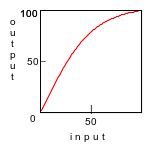
Creates a symmetric soft knee-shaped curved mapping look up table and applies it to an image

last modified: April 25, 2015


original


brightened

mapping graph


Applies a Kuwahara type edge preserving noise reduction filter to an image

last modified: April 25, 2015


original


processed


Applies a laplacian filter to an image to extract edges or sharpen the image.

last modified: April 25, 2015

original
image

sharpened
image

laplacian


Applies a color level transformation to an image channel-by-channel.

last modified: April 25, 2015

original
image

increased
contrast

negated
image


Applies a Photoshop-like levels operation on an image.

last modified: June 04, 2015

original

increase
contrast

decrease
contrast


Applies a Roy Lichtenstein newspaper cartoon effect to an image.

last modified: April 25, 2015

original

processed


Trims an image on all sides by a maximum amount specified by the user.

last modified: April 25, 2015

original

trimmed


Thresholds an image to binary (b/w) format using a moving window adaptive thresholding approach.

last modified: November 03, 2015

original

thresholded


Modifies an image to show only those pixels which are within the specified color range.

last modified: April 25, 2015

original

modified
Colors In Range
"rgb(155,0,0)"
to
"rgb(255,70,50)"


Applies a LucisArt-like effect to an image.

last modified: April 25, 2015

original
image

lucisart
effect


Applies a magnifying glass effect in a local area of an image.

last modified: April 25, 2015

original
image

circle
lupe

square
lupe


Isolates a contiguous region of an image based upon a color determined from a user specified image coordinate.

last modified: April 30, 2015

original
image

color
change

boundary
edge


Maps or translates one set of colors in an image to another set of colors

last modified: April 25, 2015

original

color mapped


Locates one or more local maxima in a grayscale image

last modified: February 26, 2016

original

Masked
Coordinates
With Graylevel

82,11 gray=83.1373%
40,13 gray=80%


Computes the median value of an image

last modified: April 25, 2015
gray: 146


Creates a melting-like blur effect in an image

last modified: April 25, 2015

original

South

East


Warps an image according to a user supplied triangular mesh

last modified: April 25, 2015

original

warped

animation


Creates a mirror effect in an image

last modified: April 25, 2015

original

blue

green


Creates a mirror effect in an image

last modified: April 25, 2015

original

West

NorthEast


Computes the mode value of an image

last modified: April 25, 2015
color: srgb(158,139,131)


Changes brightness, saturation and/or hue for any primary or secondary color in an image.

last modified: December 16, 2015

original image

processed green to red


Changes brightness, saturation and/or hue for any primary or secondary color in an image.

last modified: December 16, 2015

original image

processed green to red


Computes shift, scale and rotation invariant image moments as well as elliptical shape descriptors

last modified: April 25, 2015


Performs binary or grayscale morphologic operations on an image, including dilate, erode, open and close.

last modified: April 25, 2015

original
image

close

open


Applies a mosaic tiles effect to image.

last modified: April 25, 2015

original

processed


Applies various mottle effects to an image.

last modified: April 25, 2015

original
image

displace

blend


Crops and unrotates multiple images from a scanned image.

last modified: December 06, 2015

original
image

left
image

right
image


Crops and unrotates multiple images from a scanned image.

last modified: December 30, 2015

original
image

left
image

right
image


Creates either a linear or radial gradient image with two or more color stops

last modified: October 09, 2015

linear

circle

ellipse


Finds the nearest color value in an image to a reference color

last modified: April 25, 2015

original


output
swatches


Converts from a (scanned film) negative image to a positive image.

last modified: June 20, 2015

negative

positive


Simulates a picture as viewed through night vision goggles.

last modified: April 25, 2015

original

processed


Iteratively cleans noise from an image.

last modified: April 25, 2015

original

denoise

smooth


Computes the normalized cross correlation surface to find where a small image best matches within a larger image.

last modified: July 28, 2015


small
image

large
image

correlation
image

match
location


Creates and applies a notch filter to an image in the frequency domain to remove dither patterns and other regular noise patterns.

last modified: July 15, 2015

original
image

filtered
image

mask
image


Enhances the dynamic range of brightness values and optionally saturation values in an image by analyzing and linearly stretching the image's histogram.

last modified: April 25, 2015


original


enhanced

mapping graph


Applies an Orton effect to an image.

last modified: April 25, 2015

original

processed


Automatically thresholds an image to binary (b/w) format using Otsu's between class variance technique.

last modified: November 03, 2015

original

thresholded


Creates a sequence of cropped subsections permitting optional overlap of the subsections.

last modified: April 25, 2015

original
image

cropped
animation


Applies a pagecurl effect to the lower right corner of an image

last modified: April 25, 2015

original

gradient

doublegradient


Applies a pagepeel effect to the lower right corner of an image

last modified: May 27, 2015

original

peel 20 pixels

peel 40 pixels


Applies vertical perspective correction to an angular panoramic image

last modified: April 25, 2015

panorama

tilt perspective correction


Applies a peeling paint effect to an image.

last modified: April 25, 2015

original

processed


Applies film-like perforations to two opposite edges of an image.

last modified: April 25, 2015

original

processed


Creates an image composed of Perlin type noise

last modified: August 29, 2015

grayscale noise

color noise


Computes the phase correlation surface to find where a small image best matches within a larger image

last modified: July 28, 2015


small
image

large
image

correlation
image

match
location


Compares two 168 digit phash strings to compute a phash metric

last modified: July 21, 2015


Converts the 42 phash float values for an image to a string of 168 digits

last modified: April 25, 2015


Adds a picture frame around an image

last modified: April 25, 2015


original

framed


Applies a map-like folded appearance to an image.

last modified: September 28, 2015

picturefold

folded


Applies or corrects pincushion and/or barrel lens distortion to an image

last modified: April 25, 2015


original


barrel


pincushion


Creates a pixelized or blocky effect in an image

last modified: April 25, 2015

original

size 5

size 7


Generates and applies a piece-wise linear mapping look up table to an image

last modified: April 25, 2015


original


modified

mapping graph
(same as plmlut)


Generates a piece-wise linear mapping look up table (image)

last modified: April 25, 2015
 

no input


look up table

mapping graph


Generates a profile of an image row or column or an image histogram.

last modified: November 17, 2015

original

profile

histogram


Generates a 3D plot of a single channel or grayscale image.

last modified: May 02, 2015

original

3D plot


Applies either a rectangular (cartesian) to polar transformation or a polar to rectangular (cartesian) transformation on an image

last modified: April 25, 2015

original

rect2polar

polar2rect


Creates a pop art style image

last modified: December 23, 2015

original

result


Applies a polar blur to an image

last modified: April 25, 2015

original

radial

angular


Applies a perforated postage stamp like border around an image.

last modified: April 28, 2015

original

processed


Applies posterized edges to an image.

last modified: May 29, 2015

original
image

no color
reduction

posterized
n=6


Generates a profile of an image row or column.

last modified: April 25, 2015

original
image
(128x128)


Generates a pseudocolored image or pseudocolored animation from a grayscale image using a rainbow colored transformation.

last modified: April 25, 2015

original

pseudocolor

look up table


Automatically thresholds an image to binary (b/w) format at a specified percentile on the cumulative histogram.

last modified: November 03, 2015

original

thresholded


Applies a puzzle like effect to an image.

last modified: June 08, 2015


Creates a radial gradient image.

last modified: April 25, 2015

circle

ellipse


Creates an image composed of a moderate sized black random blob shape on a white background.

last modified: April 25, 2015

uniform
square

uniform
disk


Creates a recursive affine composite effect in an image

last modified: April 25, 2015

original

example 1

example 2


Removes redeye from an image

last modified: March 10, 2016

original

desat

remove


Modifies an image so that its (grayscale) histogram has a Gaussian, sometimes called normal or bell-shaped, distribution.

(The best autolevels-like function that I have found so far)

last modified: April 25, 2015

original

enhanced

modified
grayscale histogram


Splits an image, reflects each side and appends them to form horizontally symmetric images

last modified: April 25, 2015

original

left

right


Remaps the colors in an image using a 3D color distance metric relative to a color table map image.

last modified: April 25, 2015

original
image

remapped
image


Changes one color to another color in an image.

last modified: April 21, 2016

original image

processed green to red


Enhances detail and color in an image using the multiscale retinex algorithm.

last modified: June 14, 2015

original
image

enhanced
rgb mode

enhanced
hsl mode


Applies various circular ripple effects to an image.

last modified: April 25, 2015

original
image

water-like
ripples


Computes the root mean squared correlation surface to find where a small image best matches within a larger image.

last modified: July 28, 2015


small
image

large
image

correlation
image

match
location


Applies a perspective distortion to an image by providing rotation angles and automatically scale to the same size as the input image

last modified: April 25, 2015

original

modified
pan=45 degrees
tilt=45 degrees


Automatically thresholds an image to binary (b/w) format using Sahoo's entropy technique.

last modified: November 03, 2015

original

thresholded


Changes the color saturation in an image.

last modified: April 25, 2015

original
image

increased
saturation

decreased
saturation


Generates a channel-by-channel scatter diagram between two images.

last modified: April 25, 2015

image 1

image 2

scatter
diagram


Generates a scatter diagram between channels of an image.

last modified: April 25, 2015

image

scatter
diagram


Applies screen-like effects to an image.

last modified: April 25, 2015

original

simple

displace


Identifies each separate white shape in a binary image.

last modified: August 16, 2015

original

mode 2

mode 3


Adjusts the tone in shadow and highlight areas of an image.

last modified: June 20, 2015

original

processed


Creates a shape morphing animation sequence between two images.

last modified: April 25, 2015

image 1

image 2

1 pt morph


Creates a shape morphing animation sequence between two images.

last modified: April 25, 2015

image 1

image 2

5 pt morph


Adaptively sharpens an image or extract edges.

last modified: April 25, 2015

original
image

sharpening

edge
extraction


Adaptively sharpens (or blurs) an image near edges.

last modified: April 25, 2015

original
image

sharpening
near edges

sharpening
everywhere


Applies a sigmoidal brightness and/or contrast adjustment to an image

last modified: April 25, 2015


original


modified

mapping graph


Computes the normalized cross correlation similarity metric between two equal dimensioned images.

last modified: April 25, 2015

image 1

image 2
ncc metric
0.807486


Applies a sketch effect to an image.

last modified: April 25, 2015

original

color

gray


Applies a sketch effect to an image.

last modified: October 31, 2015

original

color

gray


Applies a skew distortion to an image.

last modified: April 25, 2015


original
image


horizontal
skew

vertical
skew


Applies slanted lighting to an image.

last modified: April 25, 2015

original

processed


Thresholds an image (inclusively) between a range of graylevels and optionally colorizes inside and/or outside the threshold range.

last modified: September 12, 2015

original
image

slice
white/black

slice
white/image


Applies a softfocus effect to an image.

last modified: April 25, 2015

original

softfocus


Applies soft light to an image.

last modified: April 25, 2015

original

processed


Applies a spatially adaptive contrast (and brightness) enhancement filter to an image.

last modified: May 04, 2015

original
image

adaptively
enhanced


Applies a spatially adaptive contrast (and brightness) enhancement filter to an image.

last modified: May 04, 2015

original
image

adaptively
enhanced

adaptively
enhanced


Computes the spectrum image from the magnitude of the Fourier Transform of an image.

last modified: July 28, 2015

original

spectrum


Creates either a color spectrum or histogram of the colors in an image.

last modified: April 25, 2015

original

histogram
by hue

histogram
by count


Creates a colored sphere with a combination of diffuse and specular illumination.

last modified: April 25, 2015

Diffuse
Lighting

Diffuse & Specular
Lighting


Warps an image onto a (hemi-)sphere.

last modified: April 25, 2015

original
image

black
background

image
background


Applies a jagged cut and splice effect to an image.

last modified: May 28, 2015

original

spliced


Draws a spline curve on an image based upon supplied points.

last modified: April 25, 2015

kbs

bspline


Crops an image into two or four sections according to the given x,y coordinates.

last modified: April 25, 2015

original

horizontal


vertical


Generates a side-by-side append of two partial images with an option to animate the amount of each image used in the append.

last modified: April 25, 2015

original

pseudocolor

animation


Applies a color splittone effect to an image

last modified: April 25, 2015

original

processed


Applies a color splittone effect to an image

last modified: May 12, 2015

original

processed


Applies a color splittone effect to an image

last modified: May 12, 2015

original

processed


Converts the image into a series of uniform-colored spots

last modified: May 28, 2015

original

circle 3

circle 5


Computes the structural similarity metric between two equal sized images.

last modified: January 14, 2016

image 1

image 2
ssim=0.617
dssim=0.383


Resizes an image and squares it up either by padding or cropping.

last modified: April 25, 2015

original

pad

crop


Applies a stained glass cell effect to an image

last modified: April 03, 2016

original

random

hexagon


Applies a starburst pattern to an image

last modified: April 25, 2015

original

added
starburst


created
starburst


Computes a pixel-by-pixel standard deviation or variance image from multiple input images.

last modified: April 25, 2015

Image 1

Image 2

Standard
Deviation


Applies various statistical filters primarily to reduce noise in an image.

last modified: April 25, 2015

noisy
image

arithmetic mean
(average)

arithmetic mean
without extremes


Modifies an image to automatically stretch the dynamic range between full black and white.

last modified: April 25, 2015

original
image

colormode
luminance

colormode
rgb


Applies radial or circular striations to image.

last modified: April 25, 2015

original
image

radial
striations

circular
striations


Creates a 'stuttered' offset-like effect in an image

last modified: April 25, 2015

original

horizontal

vertical


Processes a scanned document of text to clean the text background.

last modified: June 26, 2015

original

processed


Convert text to an image after applying various effects, styling and color.

last modified: July 01, 2015

Bulge Effect


Converts large size text to an image with color, effects and styling.

last modified: September 12, 2015

Bevel Effect With Stroke


Creates a texture pattern and optionally applies it to the background of an input image

last modified: August 12, 2015

original

texture

texturized


Simulates a picture taken with a thermal imaging camera.

last modified: May 03, 2015

original

thermograph


Applies one or two thresholds to an image.

last modified: November 25, 2015

original

hard threshold

soft threshold

clipped threshold


Tiles an image to a given size with various tile arrangements.

last modified: August 10, 2015

original
image

brick
tiling

halfdrop
tiling


Converts an image into a tilable texture.

last modified: May 03, 2015

original
image

tilable
texture


Applies a tiltshift effect to an image.

last modified: May 03, 2015

original

tiltshift


Applies a color tint to the mid-range of a grayscale image.

last modified: May 03, 2015

original

grayscale

tinted


Enhances the shadows and/or highlight regions in an image using a non-linear log or gamma function.

last modified: July 14, 2015

original

mode=all

mode=intensity


Enhances the shadows and/or highlight regions in an image using a non-linear log or gamma function plus an extra processing function.

last modified: July 14, 2015

original

type=none

type=equalize


Enhances the shadows and/or highlight regions in an image using a non-linear log or gamma function plus an extra processing function.

last modified: July 14, 2015

original

type=none

type=retinex


Enhances the shadows and/or highlight regions in an image using a non-linear log or gamma function plus an extra processing function.

last modified: July 14, 2015

original

kind=none

kind=retinex


Applies a cartoon effect to an image.

last modified: November 05, 2015

original

method 1

method 2


Simulates pictures taken by lomographic or holga type toy cameras.

last modified: May 03, 2015

original

toy camera


Applies an animated transition between two images.

last modified: May 03, 2015

image 1

image 2

transition


Automatically thresholds an image to binary (b/w) format using the triangle technique.

last modified: November 03, 2015

original

thresholded


Smoothly colorizes a grayscale image with either one, two or three different colors.

last modified: May 03, 2015

original

grayscale

colorized


Trims the background from any number of specified sides of an image.

last modified: May 03, 2015

original

east side

east,west sides


Transforms an image to place it in a region of a tshirt image

last modified: October 10, 2015

overlay

tshirt

result


Transforms an image to place it in a region of a tshirt image using a lighting file, a displacement map and arguments provided by the script tshirt

last modified: October 05, 2015

overlay

tshirt

result


Creates a tunnel-like effect on an image

last modified: May 03, 2015

original

mode 1

mode 2


Simultaneously rotates and crops an image to eliminate any background

last modified: September 19, 2015

original

aspect

square


Automatically removes pespective distortion from an image.

last modified: January 04, 2016

distorted
image


undistorted
image


Automatically unrotates a rotated image and trims the surrounding border.

last modified: May 07, 2015

rotated
image


unrotated
image


Corrects the color balance for red light attenuation in pictures taken underwater.

last modified: May 03, 2015

original

corrected


Applies a variable blur to an image based upon a mask image

last modified: June 02, 2015

image

mask

blurred


Applies a non-linear change to the saturation of an image

last modified: June 02, 2015

original
image

increased
vibrance

decreased
vibrance


Applies a vignette effect to a picture.

last modified: June 02, 2015

original

black

red


Applies a vignette effect to a picture.

last modified: June 02, 2015

original

roundrectangle

ellipse


Applies a vignette effect to a picture.

last modified: June 02, 2015

original

normal

brightened


Applies a classic blue-green vintage effect to an image.

last modified: August 12, 2015

original

processed


Applies a classic blue-green vintage effect to an image.

last modified: August 12, 2015

original

processed


Applies an old, heritage style vintage effect to an image.

last modified: August 12, 2015

original

processed


Creates an Andy Warhol style colorization image.

last modified: December 22, 2015

original

processed


Transforms the graylevels in each RGB channel according to a sinusoidal wave function.

last modified: May 07, 2015

original

processed


Transform an image's overall color balance according to a desired change in a specified white point color.

last modified: May 07, 2015

original
image

modified
white point


Processes a picture of a whiteboard to clean up the background and correct the perspective.

last modified: May 07, 2015

original
image

enhanced
image


Applies a woodcut effect to an image.

last modified: June 02, 2015

original

woodcut


Simulates a woodgrain texture.

last modified: June 02, 2015


Changes the exposure level of an image by photographic stops

last modified: May 07, 2015

original

1/2 stop brighter

1/2 stop darker


Applies a zero crossing edge detector to an image

last modified: April 29, 2015

original

sobel

morphologic


Applies a radial or zoom blur to an image

last modified: May 07, 2015

original

zoom

more zoom


OTHER USEFUL SCRIPTS


USEFUL LINKS


USEFUL IMAGEMAGICK INFORMATION COMMANDS
(as of IM 6.3.5.7)
convert -list list all functions
convert -list list list all -list options
convert -list channel list of all image -channel options
convert -list command list all commands
convert -list color list of all color names and values
convert -list colorspace list of all -colorspace options
convert -list compose list of all -compose options
convert -list configure list of your IM version information
convert -list decoration list of all text decorations
convert -list filter list of all -filter options
convert -list font list of all supported fonts (on your system)
convert -list format list of all image formats
convert -list gravity list of all -gravity positioning options
convert -list primitive list of all -draw primitive shapes
convert -list style list of all text styles
convert -list threshold list of all dither/halftone options
convert -list type list of all image types
convert -list virtual-pixel list of all -virtual-pixel options


TESTS USING IM


Không có nhận xét nào:

Đăng nhận xét